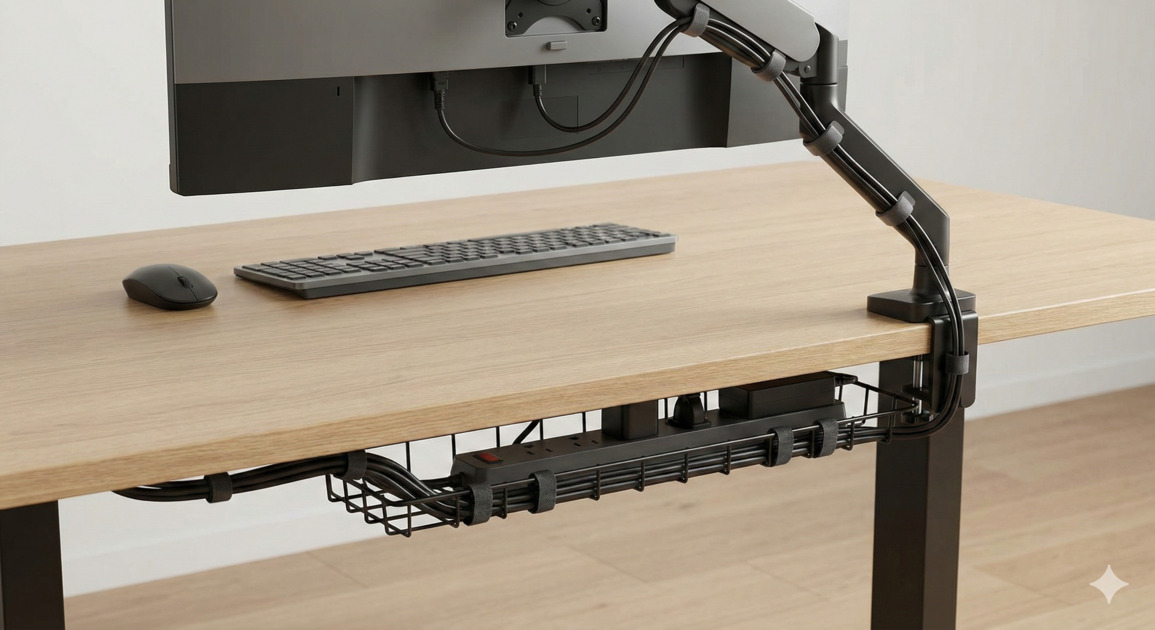
Cable Management Hacks for a Tidy Desk Setup
Does looking behind your monitor reveal a dusty "spaghetti monster" of tangled black wires? You are not alone. A cluttered desk often leads to a cluttered mind, killing productivity and ruining the aesthetic of an otherwise clean setup.
The good news is that you don't need to hire an electrician or buy expensive furniture to fix it. Mastering the art of cable management is about strategy and a few clever tools. Here are practical hacks to banish the wire clutter for good.
1. The "Zero-Hour" Reset
Before buying any organizers, you must start fresh. It is tempting to just start bundling existing wires, but that usually leads to frustration.
Shut down your PC and unplug everything. Pull every cable away from the desk. This is the perfect time to dust behind your monitor and assess what you actually need. Do you still have that printer cable plugged in for a printer you sold two years ago? Get rid of the excess.
2. The Magic of Velcro Ties
Plastic zip ties are permanent and frustrating if you ever need to swap out a piece of gear. The hero of desk organization is the reusable Velcro tie.
Group cables that are traveling in the same direction—for example, the power and display cables running from your PC to your monitor. Bundle them snugly with Velcro ties every six inches. This turns five chaotic wires into one neat "snake," immediately reducing visual clutter.
3. Hiding Monitor Cables
The cables dangling directly under your screen are the most distracting. The goal here is invisible desk cable routing.
If your monitor stand has a built-in pass-through hole, use it. If not, use small, adhesive cable clips adhered to the back of the monitor stand leg to guide the wires down to the desk surface smoothly. By keeping them tight against the stand, they vanish from your line of sight.
4. Conquering the Under-Desk Abyss
The real chaos usually happens on the floor near the power strip. To achieve a truly clean look, you need to get everything off the ground.
Invest in a simple wire basket or tray that mounts underneath your desk. This is one of the best under-desk organizers for holding bulky power bricks and the surge protector itself.
For DIY cable management solutions, you can even use a stiff piece of cardboard or plastic guttering mounted with strong double-sided tape to create a hidden channel for wires at the back of your desk.
5. The Final Sleeve
Once your cables are bundled and routed off the floor, you might still see ugly black bundles against your wall. A braided cable sleeve is the finishing touch. Wrap these flexible tubes around your main wire bundles to make them look like one cohesive, professional unit.
A tidy desk setup is an ongoing process, but spending an hour this weekend organizing your wires pays off every time you sit down to work without the visual noise of cable clutter.